Debug
Surprise Adventure
The Error we are seeing:
2024-10-23T22:49:55.488: Failed to create float image volume:
VolumeLimitExceeded: You have exceeded your maximum gp2 storage limit of 86 TiB in this region.
Please contact AWS Support to request an Elastic Block Store service limit increase.
Solution
Step 0: We increased our AWS limit for gp2 maximum storage 86 TiB to 200 TiB.
Step 1: Go back to your template
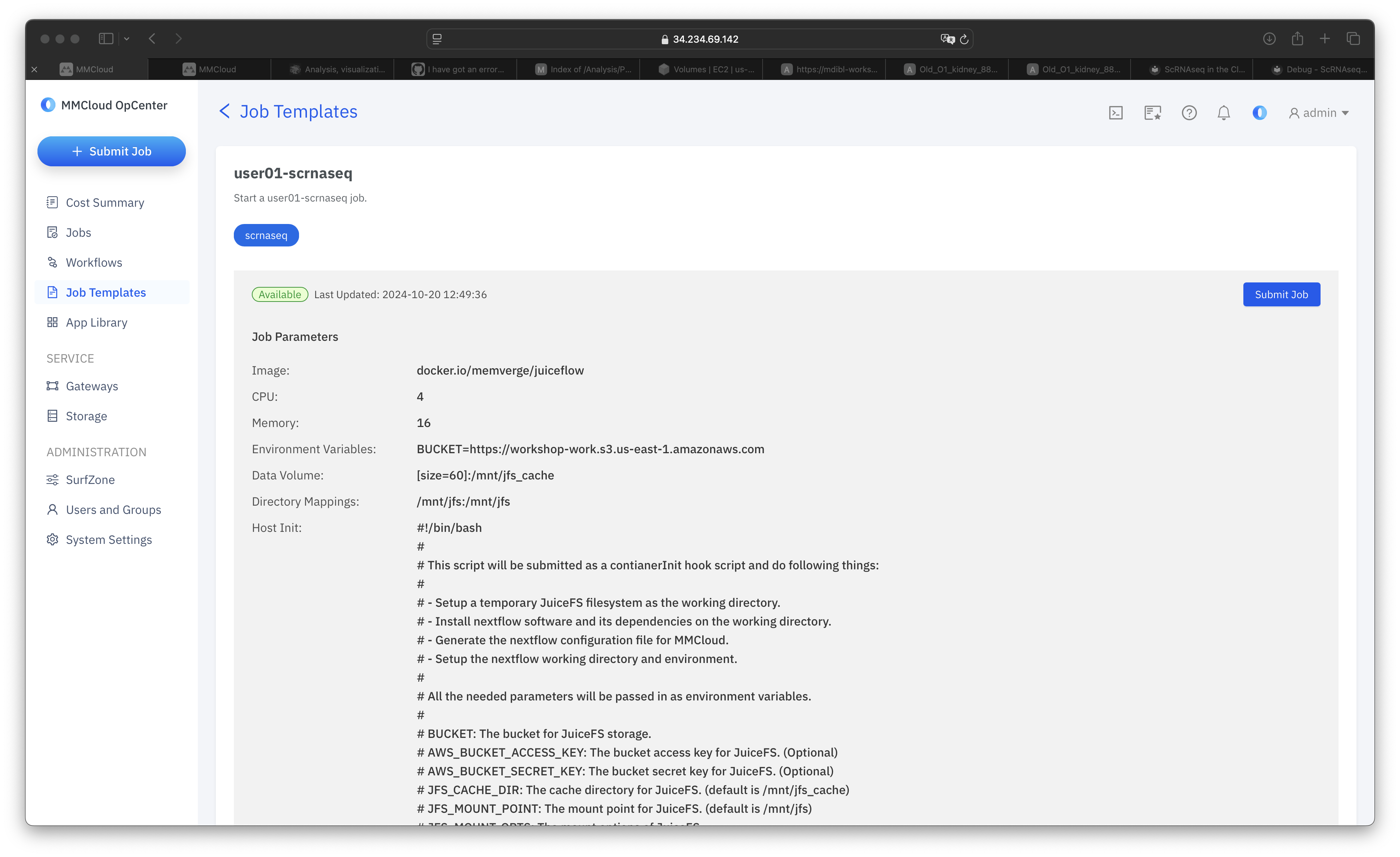
Step 2: Select Submit Job
Step 3: Select Start from Scratch
Step 4: Set Mount Point
A. On the Basic Page, scroll to the Storage Volumes section at the bottom:
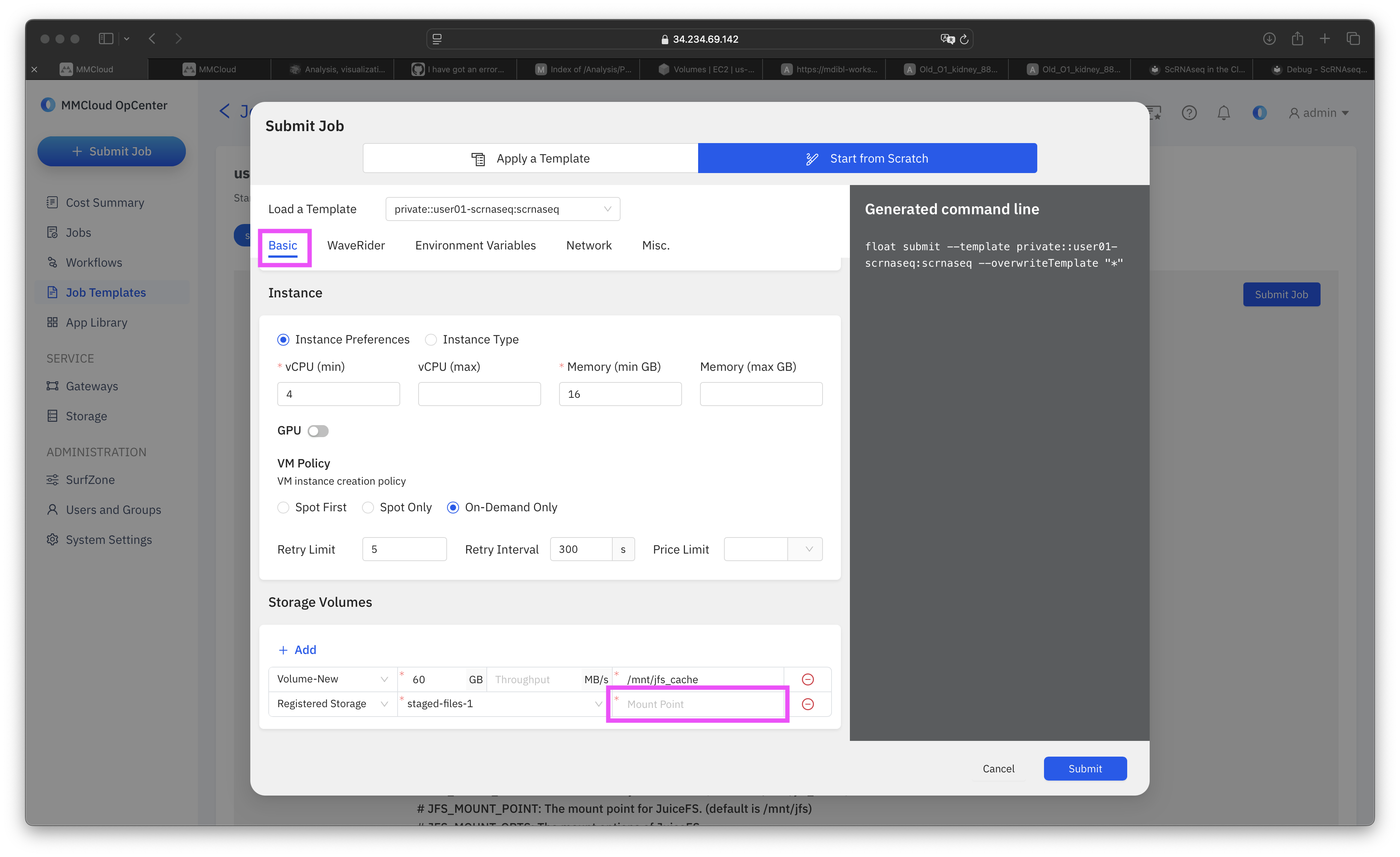
B. In the Mount Point Field paste the following Mount location:
This page should now look like this: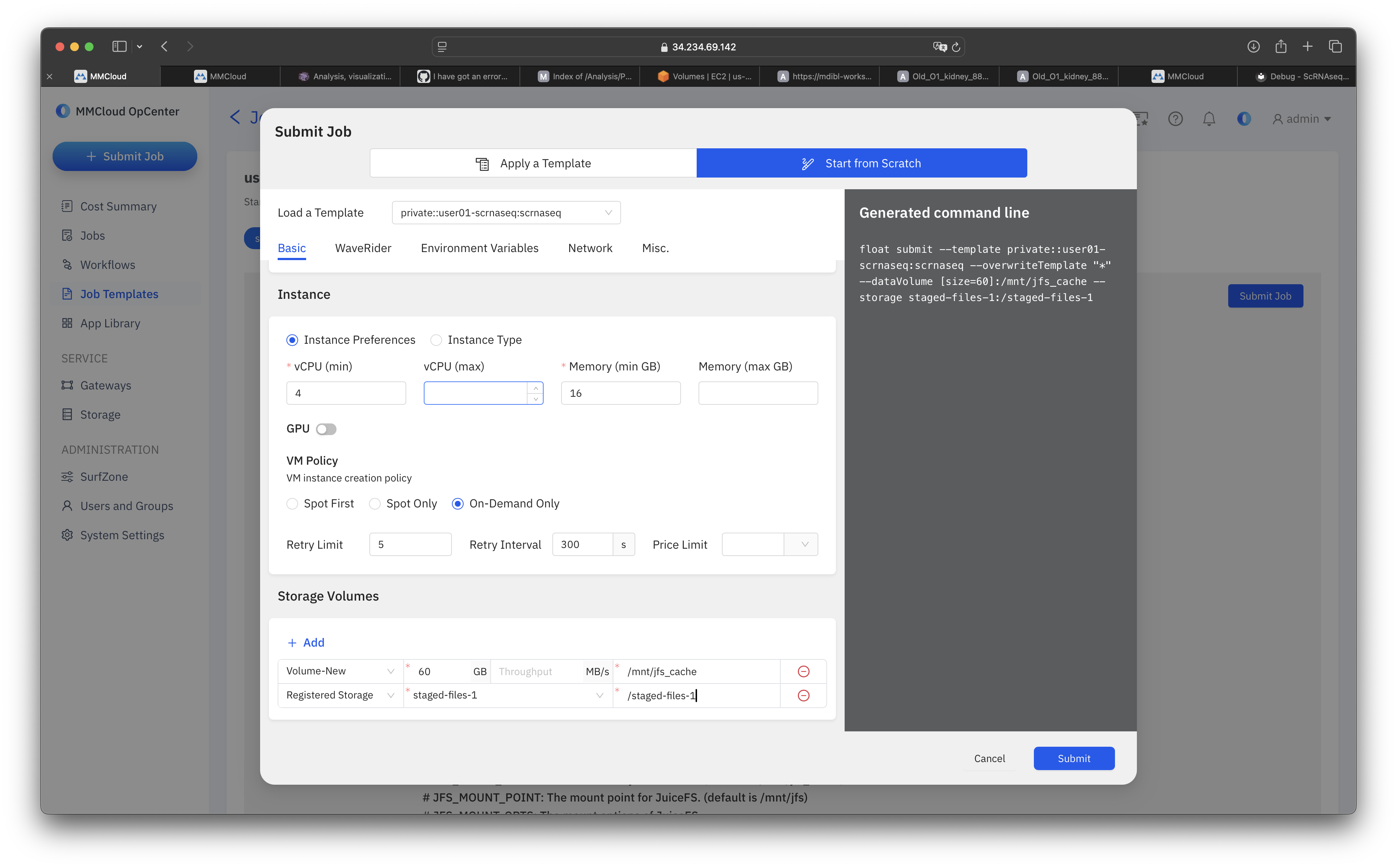
Step 5: Point to Previous Job
A. Navigate to the Environment Variables Page:

B. Select + Add
C. In the Key Field, add the following:
D. In the Value Field, add the ID that corresponds to your username:
User Specific Job IDs
Aissette!!! You are the lucky winner!!! You job completed successfully. You did however choose template 20 instead of template 09, meaning that your output will be in bucket workshop-user20.
It should end up looking like this (except with your own ID):
